
Full Access Guide

Hook to CloseHow to Get Full Access in 4 Simple Steps

Create an account, choose a plan, and complete checkout for full access.

Paid access follows successful payment and verification.

01

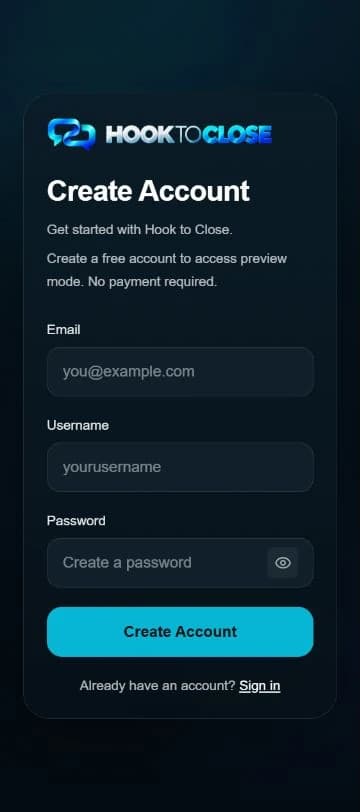
Create Your Free Account

Create an account on the Signup page, then sign in on the Login page. You can use the limited Preview Mode before choosing paid access.

  • No payment required to create your account
  • Sign in after Signup
  • Preview includes three limited free generations, not a subscription trial
Account creation alone does not activate Core or Pro.

Signup Screen
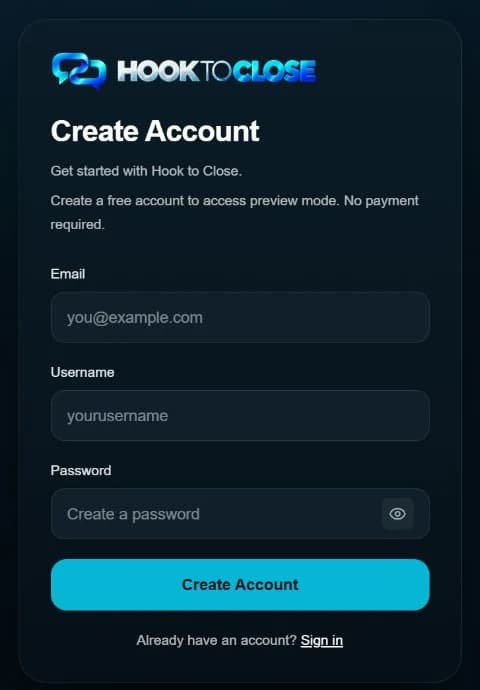
Hook to Close signup screen
Next Step↓
02

Choose Your Plan

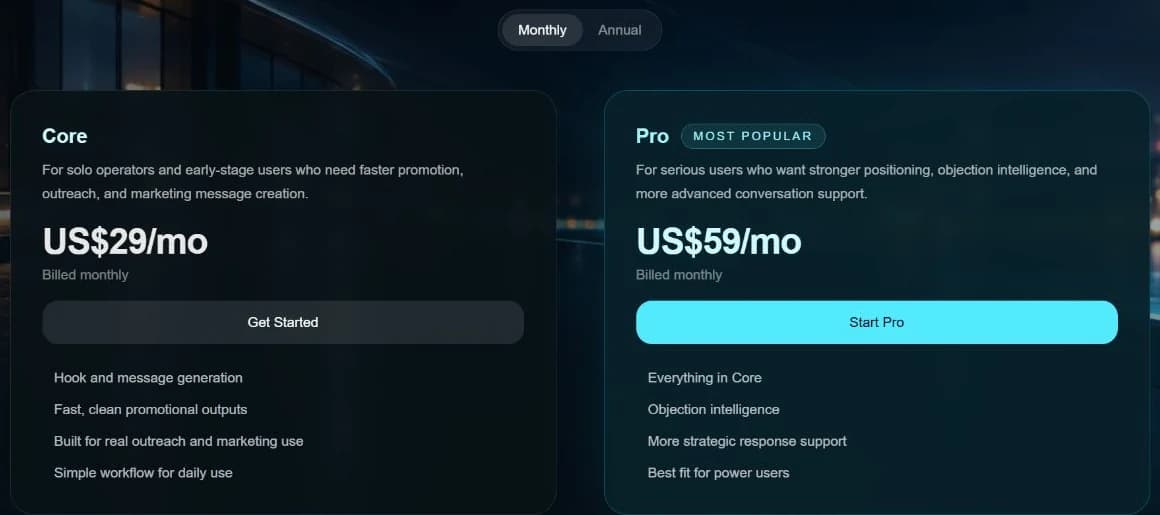
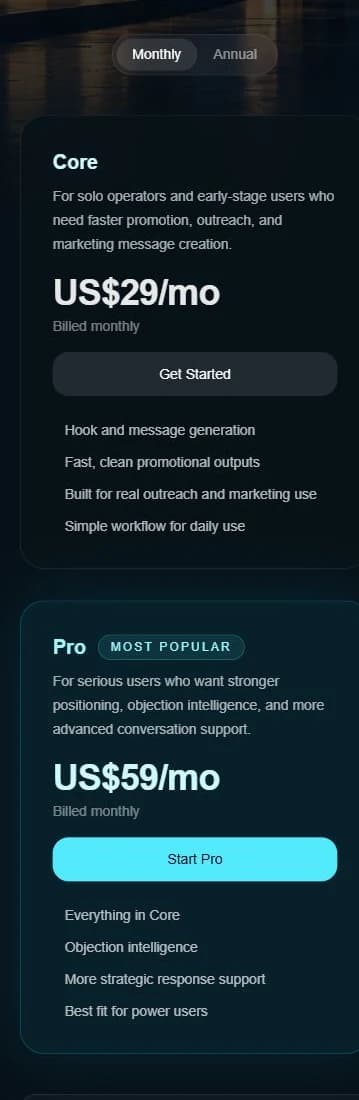
Pick the access level that fits your goals, then choose whether you want monthly or annual billing.

  • Select Core or Pro
  • Choose Monthly or Annual billing
  • Existing Core users should contact support about moving to Pro
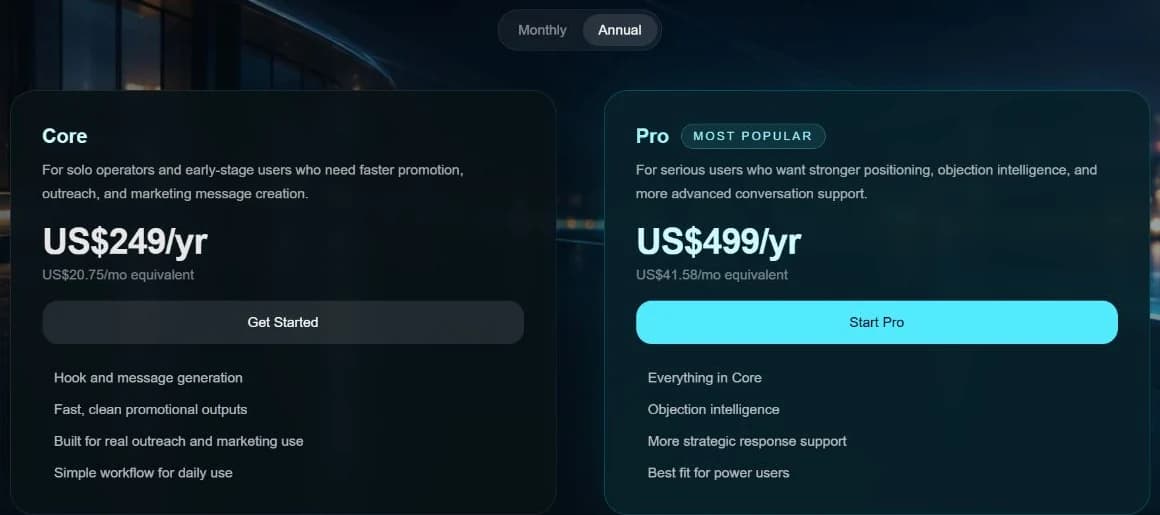
Monthly pricing is shown; the annual view is available below.

Pricing / Plan Selection

Hook to Close pricing and plan selection screen
View annual pricing screenshot

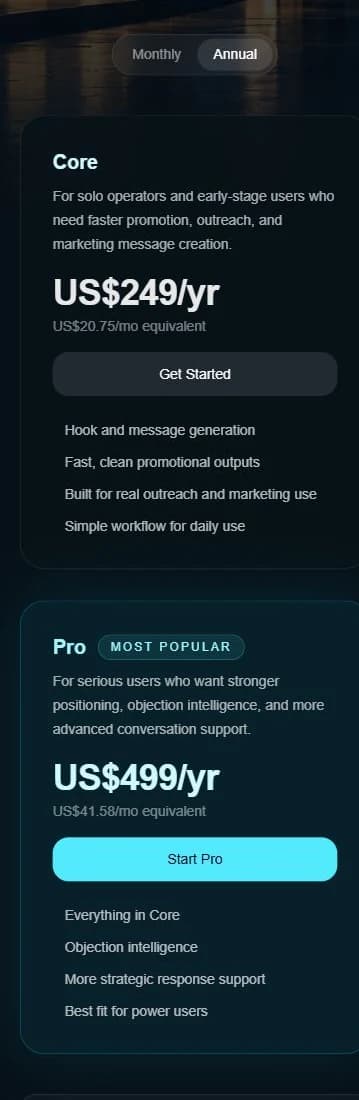
Annual pricing

Current Hook to Close annual Core and Pro pricing
Next Step↓
03

Complete Secure Checkout

Complete checkout through Whop. After a successful payment, Hook to Close verifies access; the status may be pending and may need a recheck.

  • Secure payment via Whop
  • Payment is followed by access verification
  • Recheck if verification is still pending
Access verification follows successful payment.

Checkout Screen

Hook to Close secure checkout screen

Checkout illustration — current Whop screen awaiting verification.

Next Step↓
04

Unlock Full Access

When your paid access is verified, sign in and open the full Hook to Close tool.

  • Core unlocks the full main tool
  • Pro adds advanced features
  • Pending verification may require a recheck
Full access depends on a verified Core or Pro subscription.

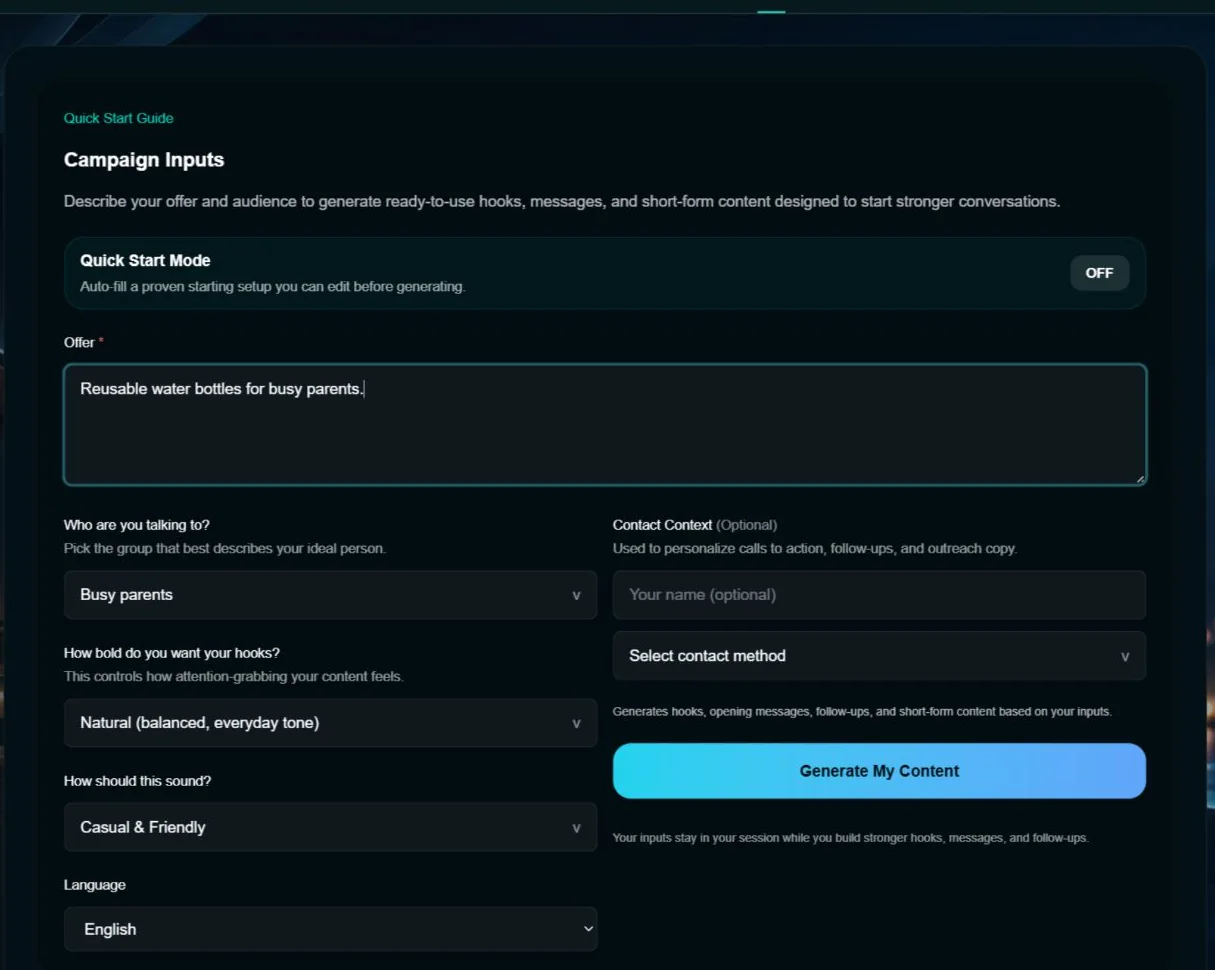
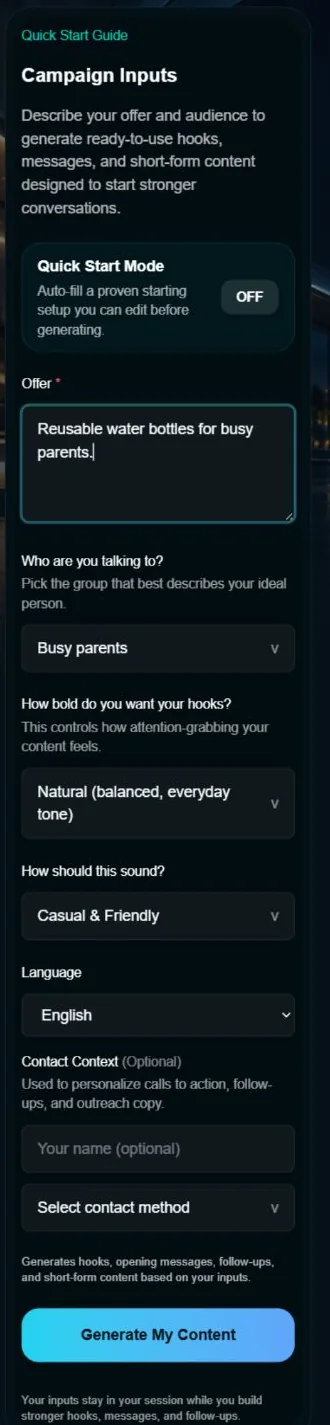
Full Tool Access

Current Hook to Close paid Tool campaign workspace
Ready to Go

Start When Access Is Verified

After successful payment, Hook to Close verifies your access. If verification is pending, recheck before opening the full tool.